Showing posts with label accountability. Show all posts

Sunday, July 22, 2018

Confessions from a Former "Grades Driven" Helicopter Parent

Our school has a student information system (SIS) that allows parents to receive notifications via email for a variety of things: grades, missing assignments, etc. Being what I thought was a diligent parent I signed up to receive emails when an assignment was missing and weekly grade updates for both my girls when they attended CCS. My thought was "Wonderful! Now I can make sure my girls are towing the educational line."

For years, I would greet them with a "Hello! How was your day? Why did you not turn you assignment in during Science today?" If your familiar with the Seinfeld episode about the "Soup Nazi," I was definitely the "Grades Nazi." As somewhat of an overachiever myself AND an educator I would find myself at a boiling point when a "bad grade" got placed in the grade book for either of my children. Sadly, I must confess that as an educator at their school I often let my pride get in the way and was even embarrassed when they didn't try. I told you in the title this is a confessions blog!

Year after year I found my relationships with my daughters becoming more and more strained- especially with my oldest. Grades weren't the only reason but I allowed them to be a key impact point of conflict on a weekly basis. I always had high expectations academically for my girls and I wasn't afraid to let them know that; until my oldest daughter was a junior and my youngest was in ninth grade. On a day of complete exasperation I sat down with my husband and said, "I can't do this anymore. It's ruining my relationship with my girls and I am stressed all the time!" At this point my husband, whose philosophy in college was "C's get degrees" took over. Just like the savvy business man he is, he immediately changed the expectations. He placed the onus of reporting on the girls. Even though he was still getting all the emails, he expected them to send their grades to him each week. It was a non-negotiable. When they sent them on Saturday or Sunday he would look at them and sometimes ask them questions about them, and he would explain his continued expectations.

Washing my hands of the daily notifications and stress was both freeing and scary! What if they quit trying? What if they didn't get into a good college? What if...? And then my oldest took the ACT and I did a little "whew," she then got into the college she wanted to go to and I did a "woohoo," and last December she graduated early from college with a degree. From an educator's view I wasn't even sure she would make it through college based on her high school grades at times. But that's when the revelation hit me...you're only given your kids for a season! Yes it is your job to help them be the best they can be but sometimes, we as parents, sweat the small stuff in the big scheme of life.

I always tell my oldest I'm sorry because we were learning on her. There is definitely a bit of continued tension about that in her and I hope as the years go by I can overcome that and she can see me for what I was...a first time mom muddling through parenthood to the best of my ability! I think back to when I was in k-12 schooling. My parents received a progress report and then a report card. They had no idea what my grades were like except for 2 grades in a semester. My sister and I survived! In fact, I would say we are both fairly well adjusted and responsible adults.

I share all this because there are about to be some changes in the way we will be sharing grades at our school for next year. In one sense it gives the parents more information because they can be observers within the course in our learning management system (LMS) but they will no longer be able to sign up for email notifications. The notifications go to the students. The parents can download the Canvas Parent App and look anytime they want, but they won't get that email 20 minutes before the kid gets in the car like I did in the past (or so it seemed to my children everyday).

I suspect we will have some upset parents over this. I suspect we will have some parents that it won't impact at all...but from a former "Grades Driven Helicopter Parent" my prayer is that families will be able to find a system for themselves regarding grades that helps them balance their need to know with their need to be a caring parent. I wish I had done it sooner. Just because you can know information doesn't mean you always need to know. (Honestly I can't believe I even typed that, but I do mean it now.) I do know every kid is different and each student has to be treated differently to grow them into responsible adults, but looking back now as a "seasoned parent" I wish I had not spent so much time talking about grades while my kids were under my roof. Oh, and my second daughter...she's thriving in college right now....just ask her. I now know there is a fine line between accountability and responsibility that parents need to be hyper vigilant about.


Friday, August 4, 2017

On Task Device Usage

A few years back I "did the edtech circuit" talking about best practice of classroom management of devices. Our school had chosen not to buy additional software options for monitoring, etc so we created a system of expectations for our students that was the same from class to class. At that point iPads were the only device being used in our elementary school. This blog post is a repeat for iPad users but I'm now adding ideas for chromebooks because we are doing a 1:1 chromebook rollout for them this year. There is much overlap in best practice to keep students on task, good classroom management is fairly device agnostic. What I will say is that if a teacher struggled with classroom management before devices were available then the appearance of devices can actually magnify this issue. If you are a teacher that feels classroom management is hard for you being diligent in consistent expectations regarding technology is imperative.

1. Seating arrangement. I blogged on the subject of seating arrangements with practical desk set up ideas in May of 2013. I still believe wholeheartedly in the importance of creating a culture where a teacher is not stuck at the front of a room when devices are being used. The best way to insure on task behavior is engagement of the lesson and movement of the instructor. I've seen teachers own this. Spending a little time explaining expectations of movement into different seating arrangements can allow you to transition between whole group, small group, and debate all in a 45 minute class seating with very little interruption. Creating settings where you can see the screens while students work is a very easy way to create accountability of on task behavior as well. For one teacher in my elementary school this is as easy as teaching one group of students at the front of the class while the second group works on their computers with their backs to her so she can see over their shoulders while she teachers. She simply asks them to sit on the opposite side of their desks.

Not all schools have flexible seating and I believe there is great value in it but remember that the comfiness and sometimes secludedness of flexible seating isn't always a good combination for a student that is tempted by off-task behavior. Remember to work the classroom often if your students are secluded while engaged with technology.

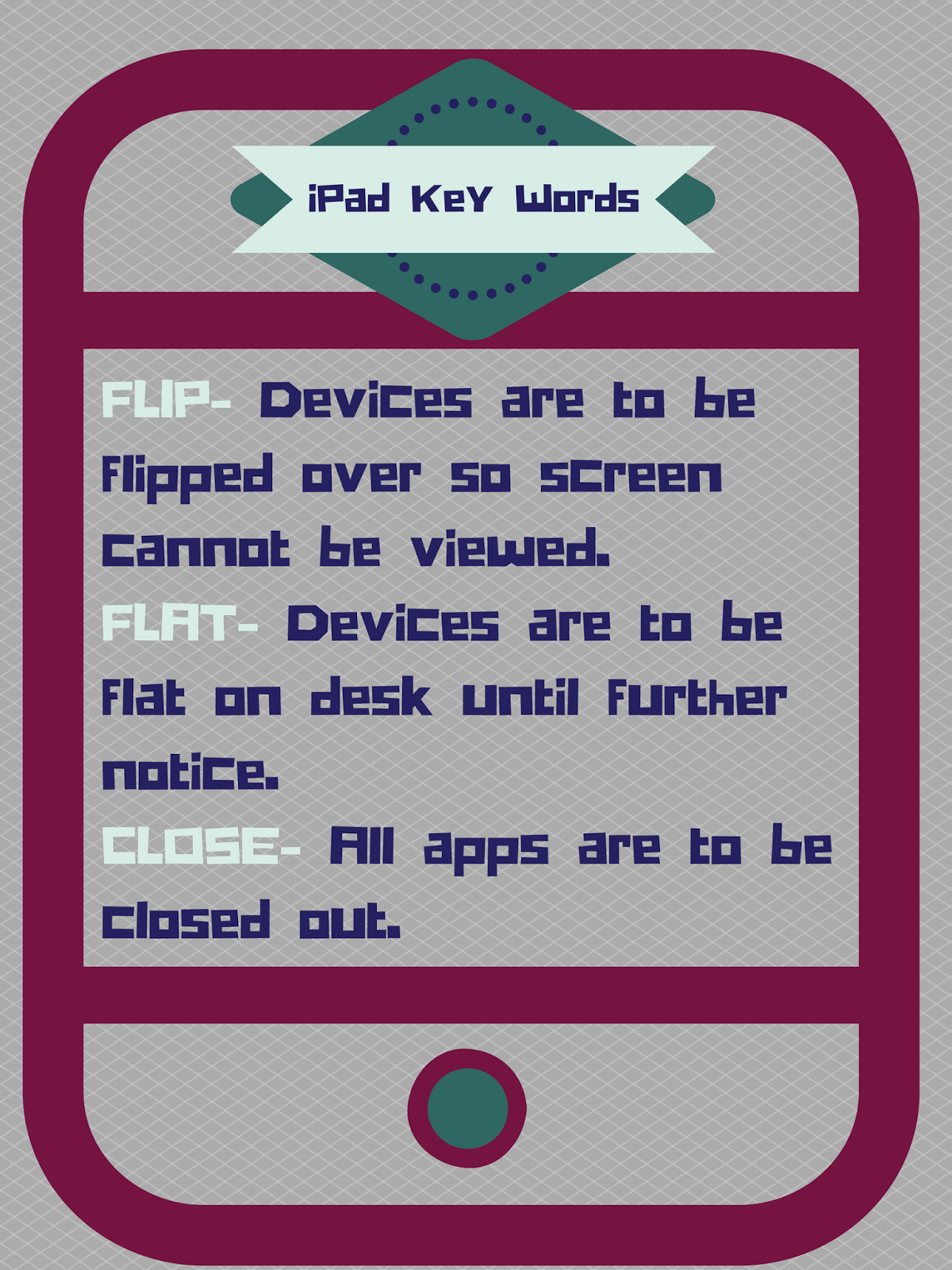
2. Key words.  In 2013 when my school became a more tech-rich school, I wanted to set expectations for student usage that didn't slow me down in the midst of a lesson. I also wanted to see these expectations used throughout our school for consistency in what our students could expect as well. I created the following graphics to hang in classrooms as a reminder to our teachers and students:
The Chromebook visual represents 3 ideas-

  • Traffic light. As students walk in or transition to a different part of the lesson, the teacher can say today red (no tech needed), yellow (we will use tech but wait on instructions), green (get going with your tech)
  • 45. This is asking students to close their device at a 45 degree angle to observe something else happening in the room. This prevents the need to sign on again but gives you their attention.
  • 1,2,3...all eyes on me. This is a great way to interrupt for more information/instruction but also insure students are listening. You might need to adjust the saying for older students. 

The iPad visual represents 3 ideas as well-
  • Flip. Devices are to be flipped over so the screen can't be seen. I start every class with a flipped expectation unless otherwise noted. This also is a great way to interrupt device usage for more information/instruction. 
  • Flat. This is an expectation that all devices are to remain flat on the desk until told otherwise. This is a great choice when you are in the front of the room for something because it allows you to continue to see the device screens to make sure students are on task when you don't have the ability to move around the room because of the lesson. 
  • Close. I like to start lessons asking students to close all open apps on their devices with a double click of the home button and swiping the apps closed. That way I know the only apps that should be open on their devices are the ones I've asked them to open as the lesson has progressed. If I sense off-task behavior I can easily walk by a student, double tap the home button and see if there is anything open that shouldn't be. I can also tell you that students are really good at opening and swiping apps to close them fast in order to check things. They learn this trick quickly. 
3. Accountability. Some districts have chosen ways to both monitor and control student access beyond filtering. For us, we have not done this for our iPads but we will be doing it for our Chromebook rollout with the addition of Go Guardian . I do believe there are other ways to help insure on task behavior as well. Using Nearpod to "create, engage, and assess" gives educators more control in the classroom and even the free version is of value. Recently I read of a school district that has their students create a PDF of their browsing history at the end of the day and email it to their teachers and/or guardians with a sentence or two about "what they learned today." While your email inbox might get full really fast, what a great way to create a quick formative assessment option and spot check for on task behavior! 

As I said before, the best way to insure on task behavior is to have an engaging lesson and to work the classroom as an educator. When I experience off task behavior during my lessons it causes me to take a hard look at the way I teach and what I am teaching. The days of 45 minutes of lecture from the front of the class are over if your students have devices (and really those days should be over regardless). If you are fortunate enough to have access to technology then use it to transform your classroom. Be firm with your expectations and your key word usage. Spend some time at the beginning of the year practicing desk movement, and key word responses. Creating a culture of expectation of change creates a culture of engagement. Put color coded washi tape on your floor and label it with a desk number to help students quickly adjust to your request to move to "debate, traditional, small group, etc" mode. Have contests between your classes by timing them to see how quickly period one transitions versus period 7. Don't get stuck in "devices are just a distraction" land. Create an environment that builds on their benefits! And lastly, don't be afraid to set a classroom acceptable use policy that clearly states the expectations and the consequences if things don't go as planned.